
Provide the best software to recover passwords for
Windows, SQL Server, PDF, Word, Excel, Outlook, FTP, Email, etc.

How to Recover WinSCP Password
WinSCP is a free SFTP, FTP and SCP client for Windows, its main benefit is safe copying of files between a local and a remote computer. If you have forgotten password of a host configured in your WinSCP client, you can use the Password Recovery Bundle program to recover it immediately.
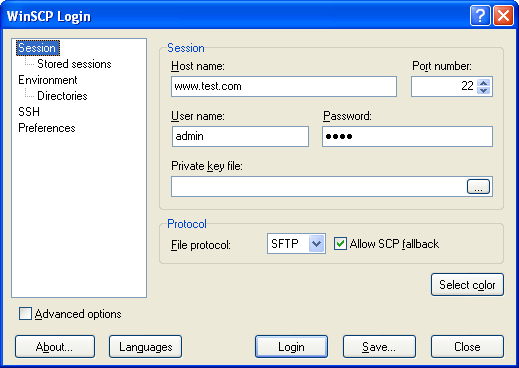
By default, WinSCP will store your FTP logins into the Windows registry, while the portable version use by default an INI file (WinSCP.ini). There is also an option that allows you to force WinSCP to store passwords in either the registry or INI file.
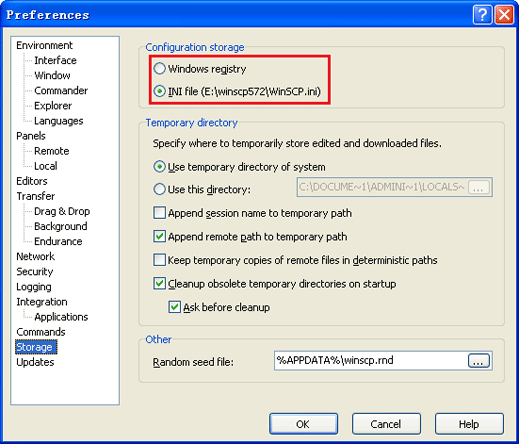
Password Recovery Bundle could be used to recover WinSCP saved passwords from both Windows registry and WinSCP.ini file. Here's how.
Option 1: Recover WinSCP Password from Registry
Run the Password Recovery Bundle program.
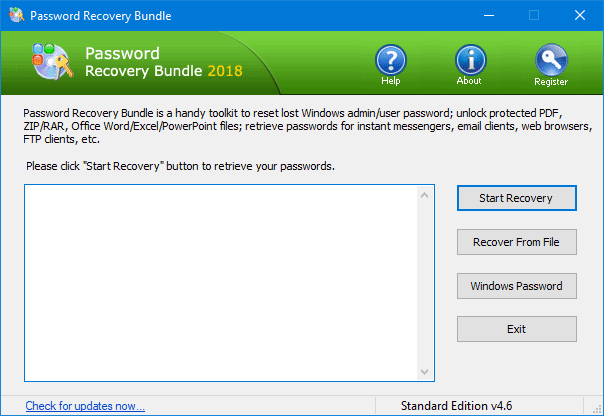
- Click on Start Recovery button and then select WinSCP Password from the drop-down list.
- All your WinSCP passwords saved in the Windows registry will be visible on the screen.
Option 2: Recover WinSCP Password from INI File
- Launch the Password Recovery Bundle program.
- Click on Recover From File button and then select WinSCP Password from the drop-down list.
- In the pop-up window, browse to your WinSCP.ini file and click Open.
- The program will decrypt and display your FTP login credentials immediately.
With Password Recovery Bundle you are able to recover saved passwords from almost any FTP applications, including CuteFTP, SmartFTP, FileZilla, FlashFXP, WS_FTP, Core FTP, etc. The program also have a built-in option - Asterisk Password, which can be used to reveal the asterisk password in the password box of your FTP client.
Ready to try or buy?
Related Articles


