• Home
  • Content
  • RSS
  • Log in

Password Recovery

Provide useful password recovery tricks, guides and software
  • Home
  • Password Recovery Bundle
  • Reset Windows Password
  • Product Key Finder
  • Protect My Folders

How to Change Windows 10 Login Background to Solid Color

July 21, 2016 updated by Admin Leave a reply »

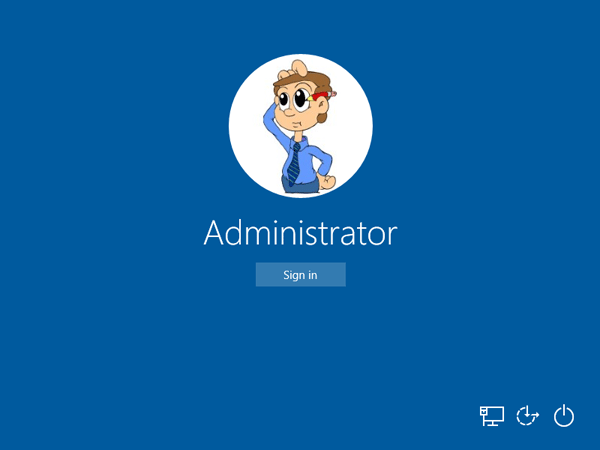
Rather than seeing a background image at the login screen, you can choose to disable the login screen background and see a single, flat-color background — just as Windows 8 used. Here is a simple registry tweak to turn off background image and change Windows 10 login screen to a custom solid color background.
flat-logon-background

How to Change Windows 10 Login Background to Solid Color?

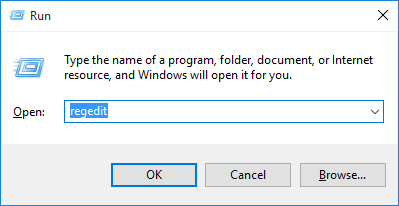
  1. Press the Windows key + R to open the Run box. Type regedit and press Enter.
    regedit

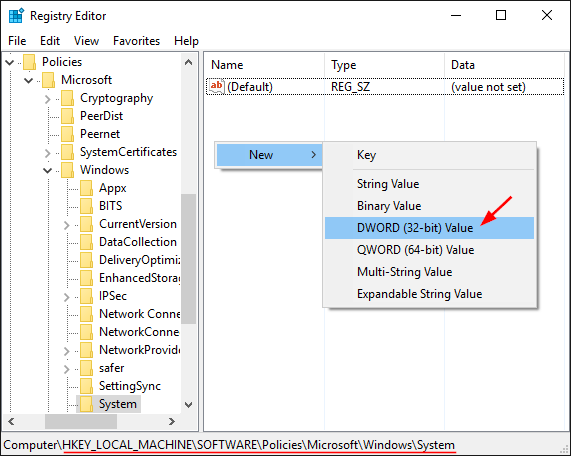
  2. When the Registry Editor opens, navigate to following key on the left pane:
    HKEY_LOCAL_MACHINE\Software\Policies\Microsoft\Windows\System
  3. Right-click anywhere in the right pane and select New -> DWORD (32-bit) Value.
    create-dword-value

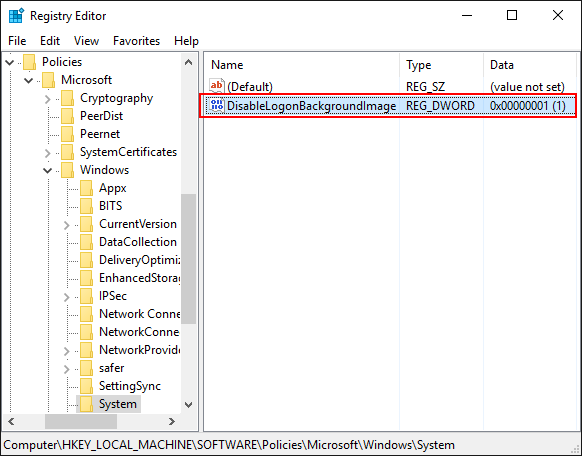
  4. Name the newly create value DisableLogonBackgroundImage. Double-click on it and set its value to 1.
    disable-logon-image

  5. Now you’ve successfully disabled the login screen background image. To set a flat color as your login screen background, press the Windows key + I to open the Settings app.
  6. Next go to Personalization -> Colors. Disable the “Automatically pick an accent color from my background” option and pick a new accent color that will be used as your login screen background color.
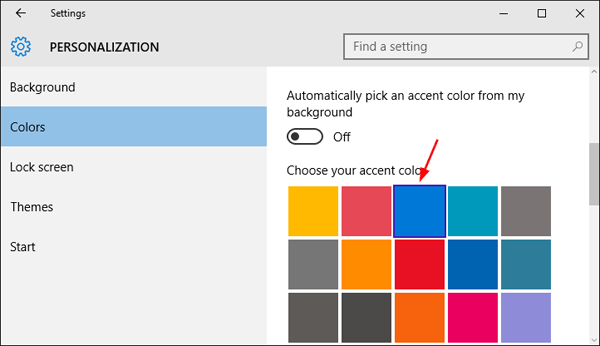
    choose-accent-color

Related posts:

  • Show or Disable Sign-in Background Picture in Windows 10
  • How to Set Your Computer to Boot from CD or USB Drive
  • How to Change Background Image for Windows 10 Login Screen
  • How to Change Active / Inactive Title Bar Color in Windows 10

  • Previous Post: How to Change Background Image for Windows 10 Login Screen
  • Next Post: 3 Ways to Boot Windows Server 2012 into Safe Mode

Posted in Tips & Tricks, Windows 10

Tags: change login screen background to solid color change windows 10 login screen color disable windows 10 login screen background turn off windows 10 login screen background use solid color as windows 10 login screen

    • Subscribe Subscribe to my blogs feed
    • Previous Entry How to Change Background Image for Windows 10 Login Screen
    • Next Entry 3 Ways to Boot Windows Server 2012 into Safe Mode

Back to Top

© 2025 top-password.com. Proudly powered by WordPress.