“For security concerns, I have to force all users in SQL Server 2016 to change password at the next login. But when I check the Properties tab, the option “User must change password at next login” is greyed out. Any suggestions? Thanks!”
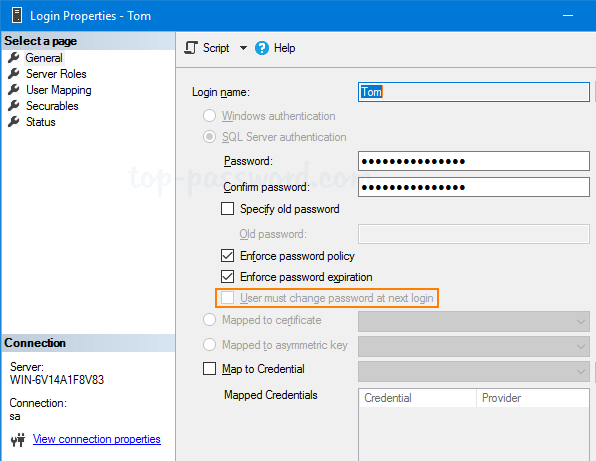
In this tutorial we’ll show you the simple ways to force users to change password at next login in SQL Server 2017 – 2008, so they can set a new password not known by the administrator. Additionally, passwords they choose are less likely to be forgotten.
Part 1: Force Newly-Created Users to Change Password at Next Login
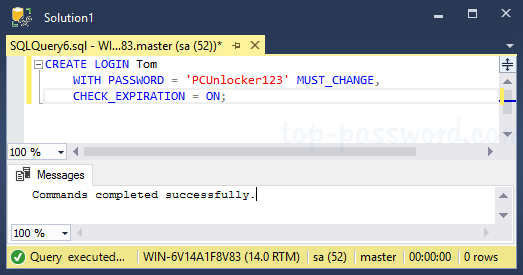
When setting up a user account, it is common practice to require new users to create their own password immediately after their first log on. The follow SQL script will do this task:
CREATE LOGIN user_name

   WITH PASSWORD = 'user_password' MUST_CHANGE,

   CHECK_EXPIRATION = ON;
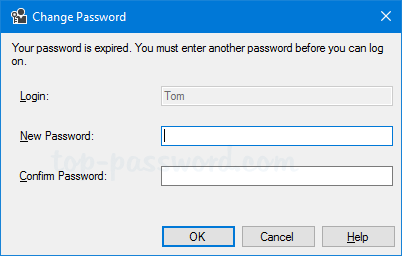
When the new users try to connect to SQL Server, they will be prompted to change their passwords:
Part 2: Force Existing Users to Change Password at Next Login
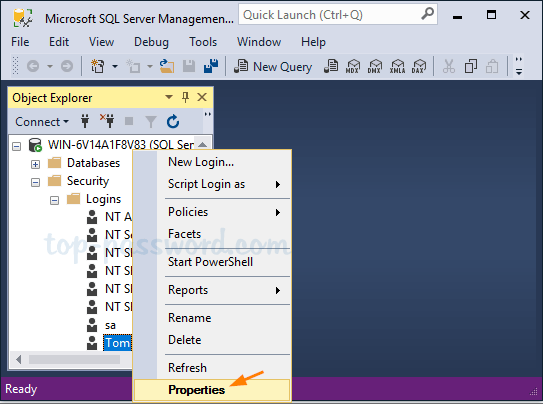
Open up SQL Server Management Studio and connect to your database. Under the Object Explorer tree on the left, expand to Security -> Logins. Right-click on a user you want to modify and select Properties.
By default, the “User must change password at next login” option is greyed out. In order to access this option and force a password change, you need to change the password. After entering the new password, you can then check the “User must change password at next login” option, click OK to apply your changes.
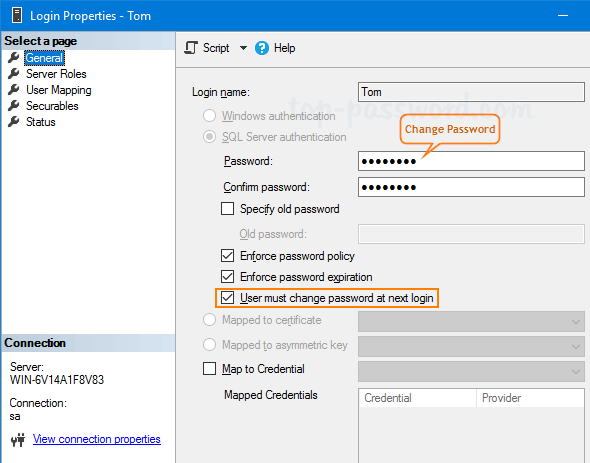
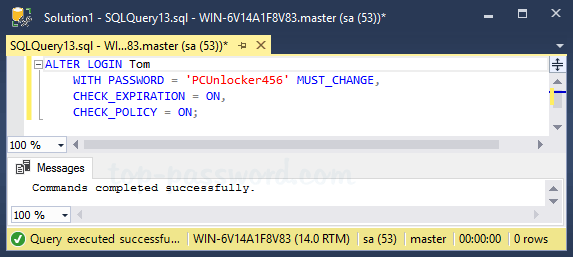
The above steps could also be done by executing the following T-SQL command:
ALTER LOGIN user_name

   WITH PASSWORD = 'new_password' MUST_CHANGE,

   CHECK_EXPIRATION = ON,

   CHECK_POLICY = ON;
That’s it!